
I spent years helping small B2B teams get their contact management and outreach under control. And the single biggest unlock I’ve seen? Switching to a proper CRM email marketing software, one that does both jobs in the same place. No more toggling between your inbox, a spreadsheet, and a separate email tool. No more missed follow-ups. No more sending the same “just checking in” email to someone you already closed last month.
The challenge is that most CRMs on the market are built for enterprise teams. They’re packed with features you’ll never use, and they charge you for every single one.
In this guide, I’ve cut through the noise and listed the 10 best tools that actually fit growing businesses, solo operators, nonprofits, and lean sales teams, people who need a simple, reliable system that works on day one.
Key Takeaways:
- CRM email marketing software manages contacts and sends campaigns from one place. Separate tools create data gaps and missed follow-ups.
- The right tool should work on day one. If setup takes longer than an afternoon, it is the wrong fit for a small team.
- Outlook and Gmail sync is a dealbreaker for most small business buyers. Always confirm emails auto-log to contact records without manual steps.
- Several tools on this list offer genuinely usable free plans before you need to pay anything.
- Personalization at scale is only possible when your contact data and email tool live in the same system.
- This list covers 10 tools across free, budget, and mid-range tiers with options for solo operators, nonprofits, B2B teams, and e-commerce brands.
What Is CRM Email Marketing Software and Why Does It Matter?
CRM email marketing software is a platform that combines contact relationship management with email campaign tools, letting businesses organize contact data, automate outreach, and send targeted emails from one centralized system.
A standalone CRM stores your contacts. A standalone email tool sends your campaigns. But when contacts live in a separate system from your email tool, data gets out of sync, personalization suffers, and follow-ups fall through the cracks.
A unified email CRM system solves this by keeping everything in one place: who you’ve talked to, what you sent, when they opened it, and what to do next.
For small businesses in particular, this matters because:
- Teams using separate CRM and email tools waste significant time every week manually syncing data between platforms
- Personalized emails generate significantly higher transaction rates compared to generic blasts — and that personalization is only possible when your contact data and email tool talk to each other
CRM Email Marketing vs. Email Marketing Software: What’s the Difference?
This is one of the most common questions that comes up in communities like r/CRM and r/Emailmarketing — and the answer matters before you spend money on the wrong tool.
| CRM Email Marketing Software | Email Marketing Software | |
|---|---|---|
| Primary function | Contact management + email campaigns | Email campaigns only |
| Contact history | Full interaction timeline | Limited or none |
| Segmentation | Based on contact behavior, tags, pipeline stage | Based on list or email engagement |
| Best for | Sales-driven teams, B2B, relationship-based outreach | Newsletter sends, e-commerce blasts, list-based marketing |
| Example tools | BIGContacts, HubSpot, Zoho CRM | Mailchimp, Constant Contact, MailerLite |
Top 10 CRM Email Marketing Software
Here are the 10 best options for businesses in 2026, evaluated on simplicity, email depth, and value for money.
| Tool | Best For | Starting Price |
|---|---|---|
| BIGContacts | Contact management & email marketing for growing businesses | Free for growing teams. Paid plan starts at $9.99/month |
| HubSpot | Teams wanting an all-in-one growth platform | Starts at $15/user/month |
| ActiveCampaign | Advanced automation and behavior-based sequences | Starts at $15/user/month |
| Zoho CRM | Budget-conscious teams needing deep customization | Starts at $14/user/month |
| Nutshell | B2B sales teams with built-in email outreach | Starts at $16/user/month |
| Salesmate | Sales-focused teams with automation needs | Starts at $23/user/month |
| Insightly | Teams that need CRM + project management | Starts at $29/user/month |
| SendPulse CRM | Multichannel teams using email, SMS, and WhatsApp | Starts at $6/month |
| Brevo | Email + SMS Campaigns | Starts at $8/month |
| Pipedrive | Sales Pipeline Management | Starts at $14/user/month |
1. BIGContacts – Best for Contact Management & Email Marketing for Growing Businesses
BIGContacts is the CRM email marketing software I currently use and recommend most often for growing businesses and service-based teams who are tired of juggling Excel and Outlook.
What makes it stand out isn’t a long feature list; it’s the fact that everything is genuinely simple. New users can get their contacts imported, email campaigns live, and automated follow-ups running in a single afternoon.
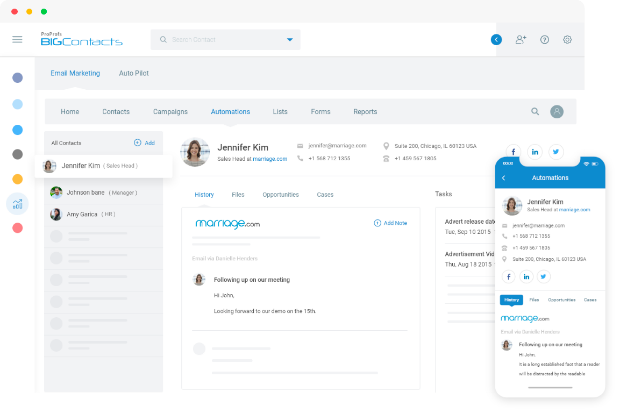
The contact timeline is one of the most useful views I’ve seen in any CRM: every email, note, call, and task is logged against each contact, so you always know the full history. The drip campaign builder is clean, and you set triggers, choose delays, write your emails, and you’re done. No flowchart nightmares.
For teams migrating from spreadsheets, BIGContacts offers a simple CSV import template, and their support team will help you map your custom fields during onboarding. For teams coming from Outlook, the email forwarding-based sync keeps every email conversation tied to the right contact record. DKIM setup is handled by their tech team, so your campaigns actually land in inboxes.
Pros:
- Automated workflows with custom triggers and follow-up sequences
- Full contact timeline showing every email, task, note, and interaction
- Built-in drip email campaigns with behavior-based automation
- DKIM domain authentication setup is supported for improved email deliverability
- Bulk email import via Excel/CSV template, which is ideal for teams migrating from spreadsheets
Cons:
- No downloadable or on-premise version
- No dark theme mode
Pricing:
A free plan is available for growing teams. Paid plan starts at $9.99/month.
2. HubSpot – Best for All-in-One Sales and Marketing Growth
A friend of mine who runs a boutique consulting firm switched to HubSpot a couple of years ago when her team hit about 10 people. She needed something that could handle both their sales pipeline and their monthly newsletter, and HubSpot handled it for a while.
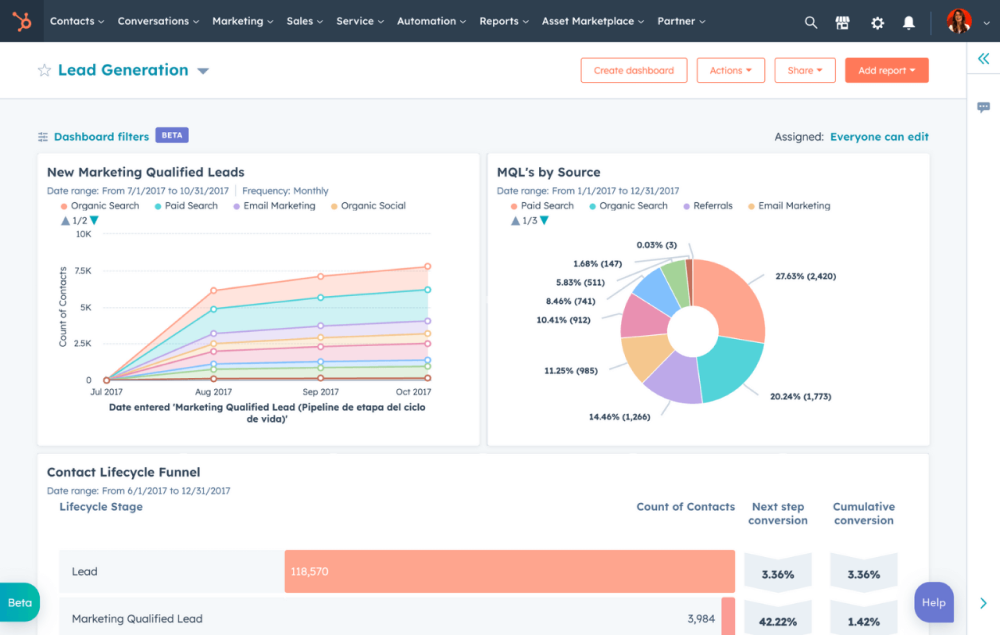
What she loved about HubSpot early on was that the email templates looked polished and the reporting dashboards gave her team a shared view of the pipeline. She especially appreciated the landing page builder, which let her capture new leads directly into the CRM without needing a third tool.
The issue she eventually ran into was pricing. As her contact list grew and she needed more advanced automation, the cost jumped quickly. For a growing team with a real marketing budget, HubSpot is hard to beat. For a lean team watching every dollar, the paid tiers can get steep fast.
Pros:
- Generous free plan with up to 1,000 contacts and 2,000 emails per month
- Native integration across CRM, marketing, sales, and service in one platform
- Strong landing page and web form builder for lead capture
- Visual automation workflows with conditional logic
Cons:
- Customizing email templates requires CSS knowledge for advanced edits
- Paid plans escalate quickly, especially when bundling multiple Hubs
Pricing:
Free plan available. Paid plans start at $15/user/month
3. ActiveCampaign – Best for Advanced Email Automation
I recommended ActiveCampaign to a SaaS client who needed complex, behavior-triggered email sequences that most CRMs simply couldn’t handle. Their use case: different email tracks depending on whether a lead attended a webinar, downloaded a specific resource, or visited their pricing page. ActiveCampaign handled all of it.
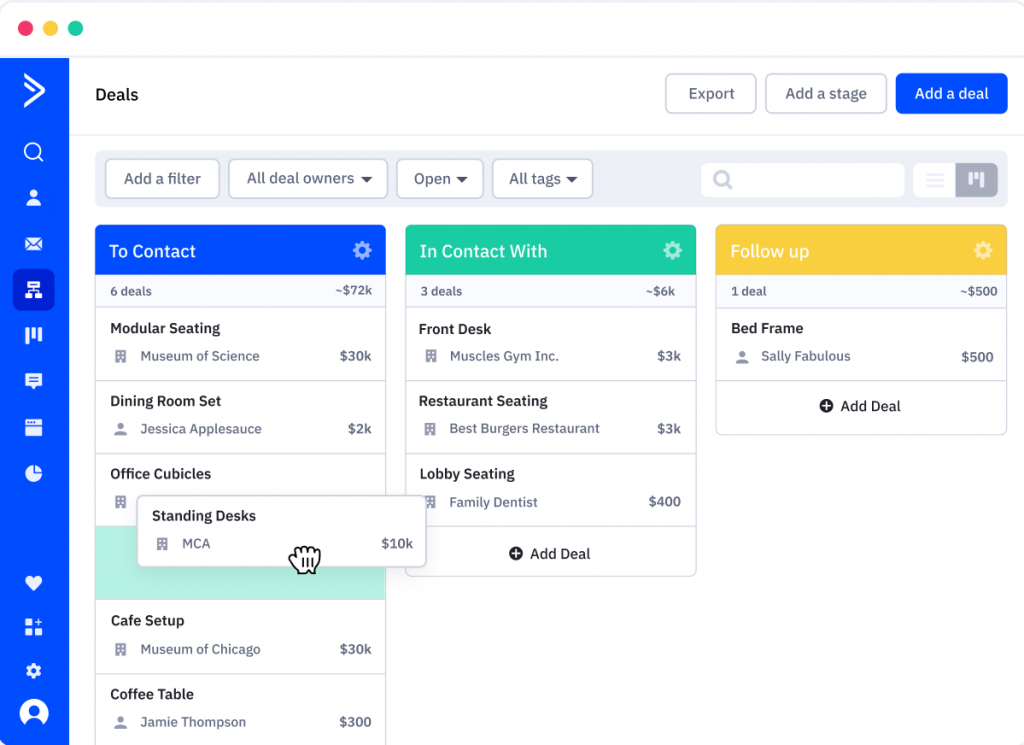
The automation builder was the star feature. Drag-and-drop flowcharts let you build multi-branch logic without writing a line of code. I set up a sequence where a lead who opened an email but didn’t click got a follow-up three days later, while someone who did click went into a demo-booking sequence.
Where it falls short is the learning curve. For a first-time CRM user or a solo operator who just needs to send a monthly newsletter, ActiveCampaign is overkill. But for teams that are serious about marketing automation, it’s one of the most capable tools on this list.
Pros:
- Industry-leading visual automation builder with conditional branching logic
- CRM and email marketing are tightly integrated with deal stage-triggered emails
- Built-in lead scoring based on email engagement and site behavior
- Strong A/B split testing for email content and subject lines
Cons:
- Steeper learning curve compared to simpler CRM tools on this list
- Pricing is contact-based, which can become expensive as lists grow
Pricing:
Starts at $15/user/month.
4. Zoho CRM – Best for Deep Customization
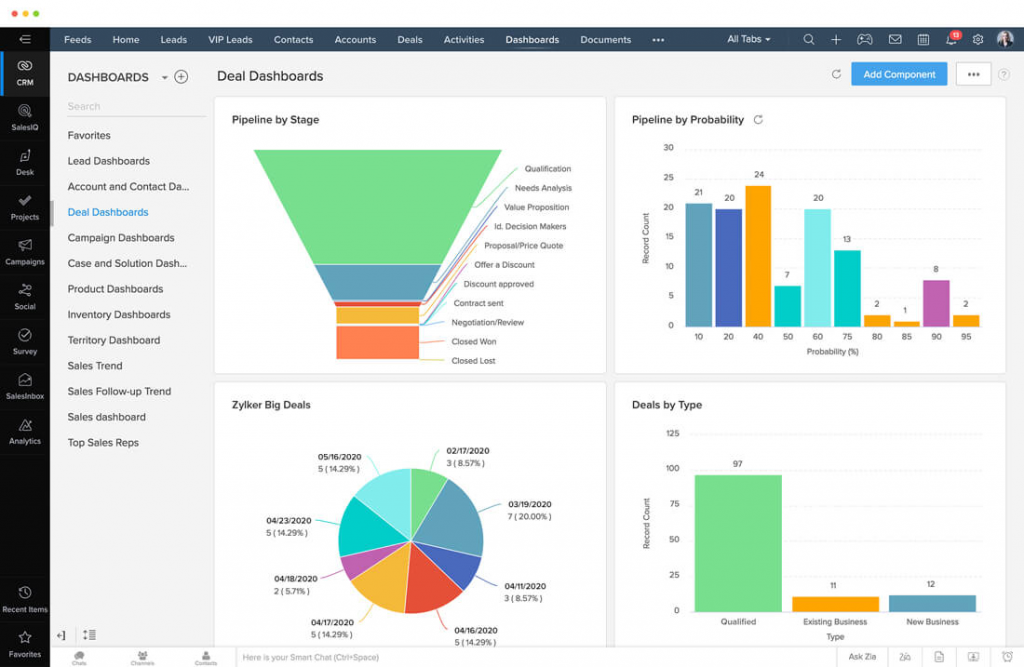
A colleague of mine who runs a small import-export business has used Zoho CRM for the better part of four years. He picked it partly because of the price and partly because of how much you can customize it without paying for an expensive implementation consultant.
What stood out to him most was the Zoho ecosystem. Once he was in Zoho CRM, adding Zoho Campaigns for email marketing, Zoho Books for invoicing, and Zoho Analytics for reporting felt natural.
The downside, in his words: “the UI looks like it was designed by engineers for engineers.” Zoho has improved significantly over the years, but the interface can still feel cluttered, and setting up advanced automations isn’t as intuitive as some competitors.
Pros:
- Deep customization of fields, modules, and workflow automations
- AI-powered assistant (Zia) provides intelligent contact and deal recommendations
- Tight integration with the Zoho ecosystem, including Campaigns, Books, and Analytics
- Available in 28 languages, a strong option for international small businesses
Cons:
- Interface can feel cluttered and unintuitive, especially for new CRM users
- Mobile app performance is inconsistent compared to the desktop version
Pricing:
Free for up to 3 users. Paid plans start at $14/user/month.
5. Nutshell – Best for B2B Sales Teams
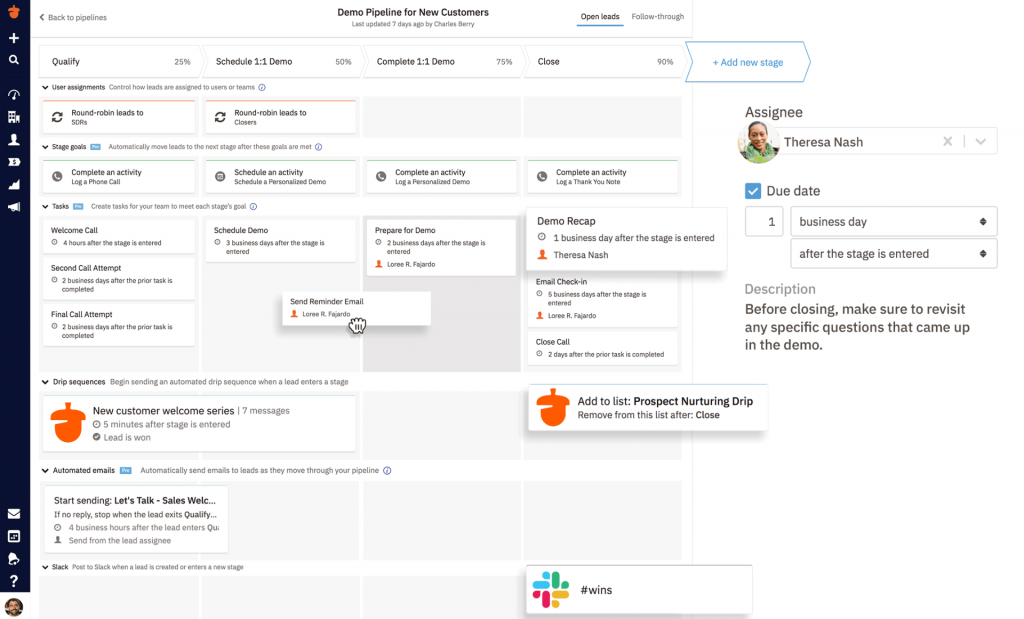
I switched to Nutshell specifically for email marketing. I found a CRM that was genuinely built for B2B sales teams. The activity timeline, the bulk email feature with filters, and the customizable pipeline stages all felt like they were designed with workflow in mind.
The drip sequences were easy to set up and didn’t require an IT background. For a team that spends most of its time in the sales pipeline and needs quick, no-fuss email outreach, Nutshell hit the mark.
The Gmail integration was strong, but connecting it with his Outlook-based email environment took more configuration than expected. If your team is on Outlook, budget some extra setup time.
Pros:
- Bulk email campaigns with advanced contact filter options
- Detailed activity timelines showing every interaction with each contact
- Automated multi-step email sequences for lead nurturing
- Customizable pipeline with multiple views, including Kanban and list
Cons:
- Advanced search results can be inconsistent and less reliable
- Outlook integration requires more configuration compared to Gmail
Pricing:
Starts at $16/user/month.
6. Salesmate – Best for Sales-Focused Teams
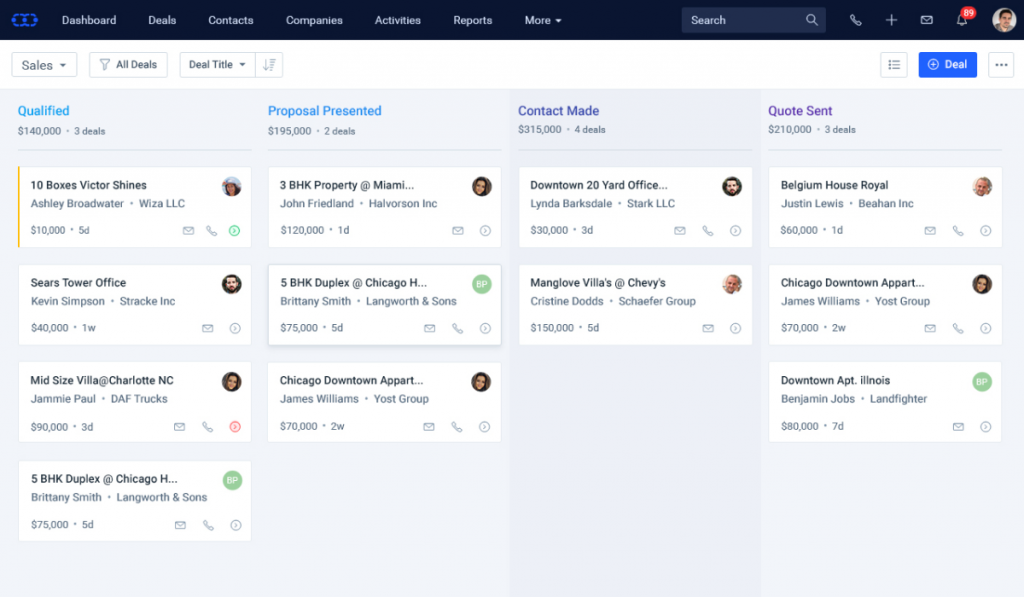
Salesmate was one of the first tools I personally tested when evaluating CRMs with solid email marketing for a client in the construction industry. The reason it made the shortlist was the combination of contact segmentation, bulk email, and pipeline management, all in a clean interface without the enterprise price tag.
The standout feature was the custom trigger system. You could set emails to go out based on specific actions, like a contact moving to a new pipeline stage, a task being completed, a certain number of days without activity.
The mobile app was the weak point. The desktop experience was solid, but on mobile, the interface felt unpolished and some features weren’t accessible. For a field-based team that needs to log notes on the go, this is worth factoring into the decision.
Pros:
- Custom automation triggers based on contact actions and pipeline movement
- A/B testing for email campaigns to identify top-performing content
- Automatic email logging against individual contact records
- Built-in calling features with call logging directly in the CRM
Cons:
- Mobile app lacks full feature parity with the desktop version
- Platform speed can lag when loading large contact lists or reports
Pricing:
Starts at $23/user/month.
7. Insightly – Best for CRM + Project Management
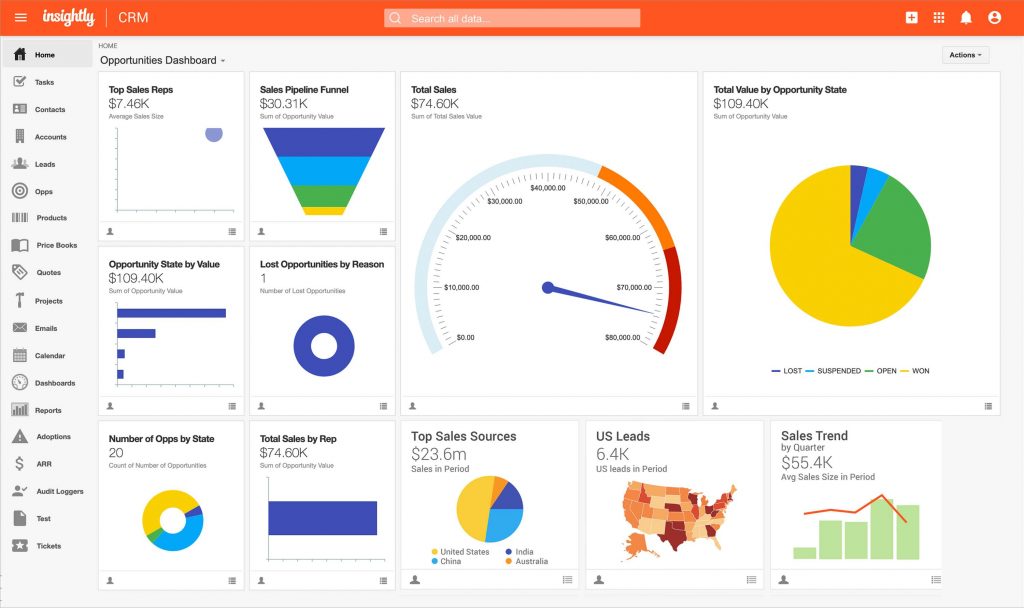
I came across Insightly while helping a nonprofit client who needed more than just contact management. They were managing event-based donor relationships and needed a way to track the entire journey from initial outreach to event attendance to follow-up. Insightly’s combination of CRM and project management capabilities made it uniquely suited to that use case.
The relationship linking feature was something I hadn’t seen done as cleanly elsewhere. You could map the connections between contacts, who referred whom, which company someone belonged to, and how they were connected to a specific project.
The technical support experience, based on my client’s feedback, left room for improvement. Response times were slow when they hit a configuration issue early in their setup, and the documentation for more advanced features wasn’t always complete.
Pros:
- Relationship linking and mapping for complex organizational structures
- Project management capabilities alongside CRM in a single platform
- Drag-and-drop email editor with pre-built templates
- A/B testing for campaign optimization
Cons:
- Technical support response times have been slow (based on multiple user reviews)
- Reporting customization is limited compared to alternatives at a similar price point
Pricing:
Free for 2 users. Paid plans start at $29/user/month.
8. SendPulse CRM – Best for Multichannel Teams Using Email, SMS, & WhatsApp
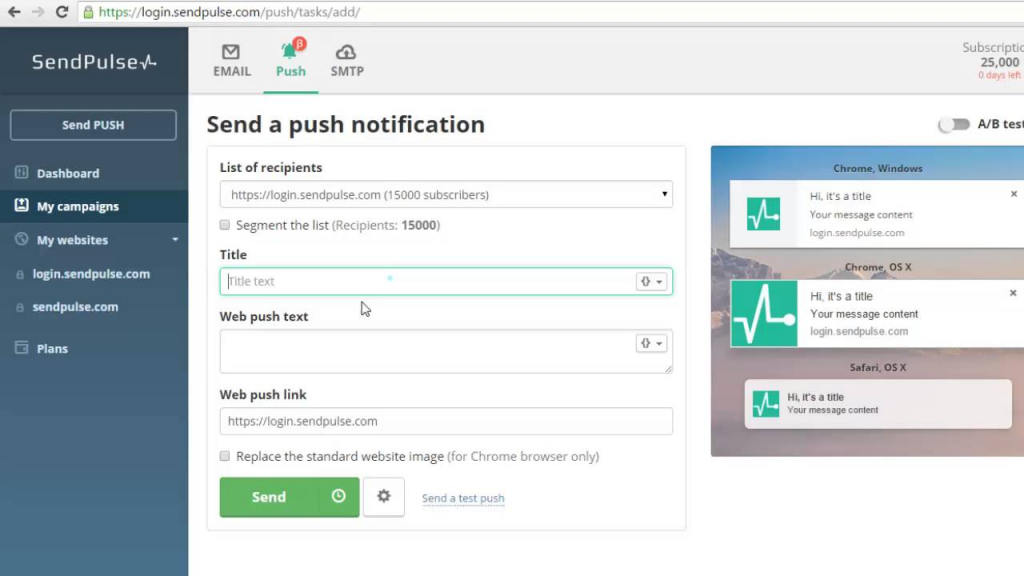
Image source: WordPress
SendPulse came up frequently in communities when users asked about tools that go beyond email, specifically teams that wanted to reach contacts via WhatsApp and SMS from the same dashboard. A colleague who manages marketing for a small e-commerce brand had been using it and spoke highly of the multichannel capabilities.
What made it work for her business was the ability to run an email campaign and a WhatsApp message sequence simultaneously, with the CRM keeping track of which contacts received what. The drag-and-drop email editor was intuitive, and the segmentation was solid for her use case of separating vendor contacts from customer contacts.
Where it fell short for her was the free plan. The limitations were significant enough that she had to upgrade fairly quickly, and some features she assumed would be available were locked behind higher tiers.
Pros:
- Multichannel campaigns covering email, SMS, and WhatsApp from one platform
- Drag-and-drop email campaign editor with audience segmentation
- Automated email sequences triggered by user behavior and preferences
- Real-time campaign analytics with delivery, open, and click tracking
Cons:
- Free plan has significant restrictions that push users toward paid tiers quickly
- Best suited for e-commerce. B2B service teams may not benefit from all features
Pricing:
Starts at $6/month (paid annually).
9. Brevo – Best for Email + SMS Campaigns
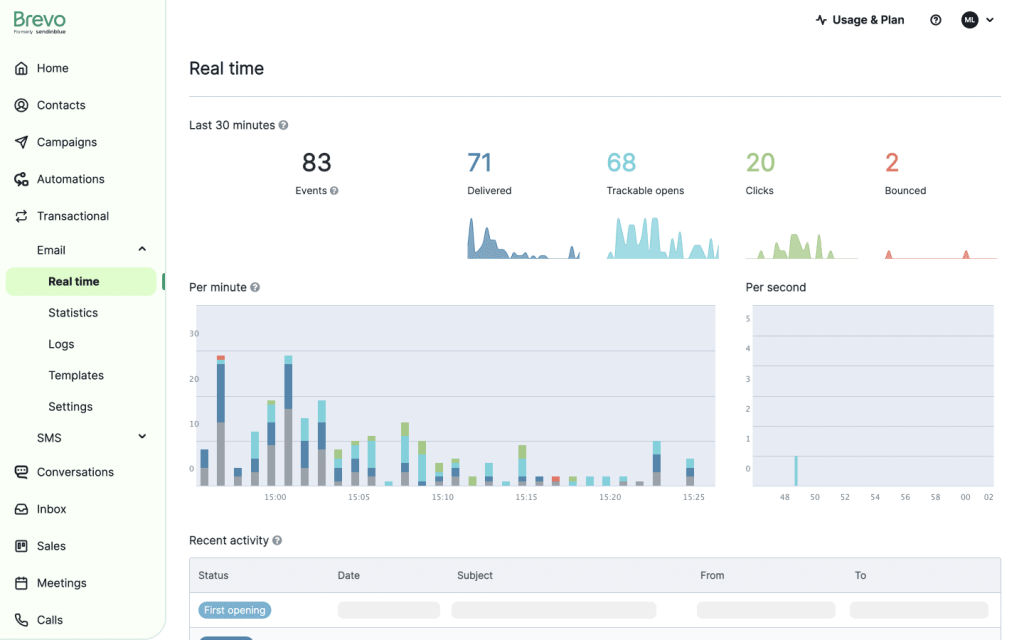
Image source: Brevo
Unlike most free tiers that limit you to 200 or 500 contacts, Brevo’s free plan lets you store unlimited contacts and send up to 300 emails per day, which is actually workable for a very small team just getting started.
The email marketing side of Brevo is strong. Automation workflows, segmentation, A/B testing, and a clean drag-and-drop editor are all included. The CRM functionality, accessed through their separate Sales CRM app, is more lightweight.
Where Brevo shows its limits is when you need the CRM and email marketing to work as a tightly integrated system. The two components work together, but the experience isn’t as seamless as a purpose-built email CRM system. For teams focused primarily on campaigns with a secondary need for basic pipeline tracking, Brevo is a strong value play.
Pros:
- Send up to 300 emails per day at no cost, with paid plans scaling from $8/month
- Clean email automation with visual workflow builder
- SMS and WhatsApp marketing are available alongside email campaigns
- Strong deliverability with dedicated IP options on higher tiers
Cons:
- CRM and email marketing modules feel like separate products rather than a unified system
- CRM functionality is more limited compared to dedicated CRM tools
Pricing:
Free plan available. Paid plans start at $8/month.
10. Pipedrive – Best for Sales Pipeline Management
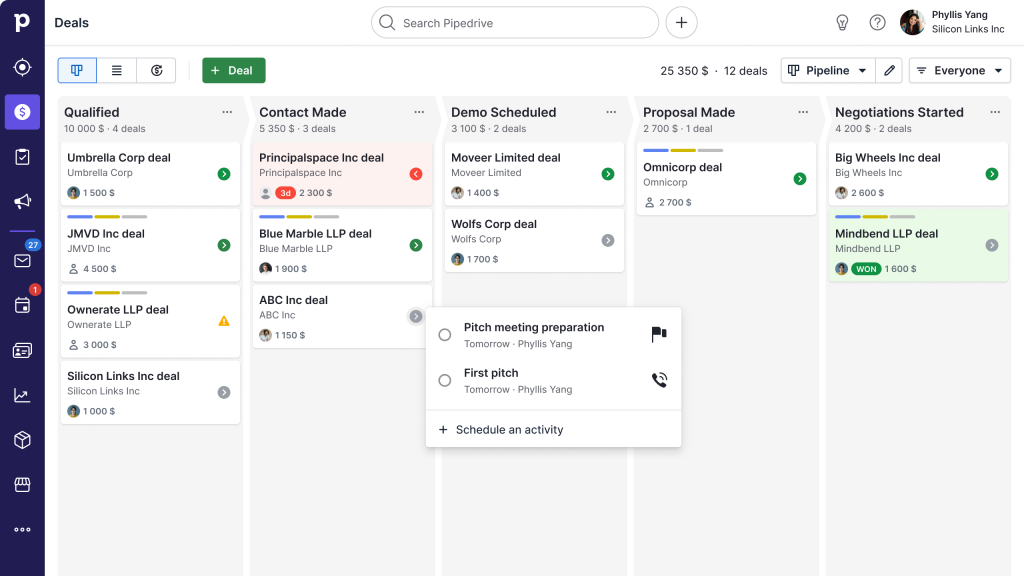
Pipedrive was actually one of the first CRMs I tried before settling into my current setup. It’s built with a very clear philosophy: the pipeline is everything, and every other feature, including email, exists to serve the deal.
What I genuinely liked about it was how visual and intuitive the pipeline view was. Moving deals across stages felt natural, and the email integration meant every conversation was automatically tied to the right deal.
Where it started to feel limiting was on the marketing side. Pipedrive’s email campaigns feature is relatively new and still maturing. If your goal is to run segmented drip campaigns to large lists, it doesn’t match the depth of other tools.
Pros:
- Highly visual, intuitive pipeline view designed specifically for sales-driven workflows
- Emails are automatically linked to deals, not just contacts, for full conversation context
- Built-in email tracking with open and click notifications in real time
- Workflow automation for follow-up tasks and stage-triggered email sends
Cons:
- Email campaigns feature is less mature compared to dedicated CRM email marketing tools
- Per-user pricing model becomes expensive as team size grows
Pricing:
Starts at $14/user/month.
How I Picked These 10 CRM Email Marketing Tools
I didn’t just pull together a list of popular names. Every tool here was evaluated against criteria that actually matter for growing businesses. Here’s exactly how I made the cut:
- Ease of Use: I asked one simple question: Can a non-technical user get their contacts imported and a campaign live in under an hour? If the answer was no, it lost points immediately. Tools that require days of onboarding or a dedicated admin to configure don’t belong on a small business list.
- Email Marketing Depth: I looked beyond basic “send an email” functionality. Automation workflows, behavioral triggers, segmentation by tags and custom fields, pre-built templates, and deliverability features like DKIM support all factored into how each tool was scored.
- CRM Functionality: A full contact interaction timeline, pipeline management, task tracking, and notes — these are the core CRM jobs. I evaluated whether the CRM side was genuinely useful or just a thin layer wrapped around an email tool.
- Integrations: Outlook and Gmail sync came up as dealbreakers in nearly every small business conversation I’ve had. I also looked at Zapier compatibility and connections to key business tools like QuickBooks, calendars, and web forms.
- Pricing: I only included tools with transparent, predictable pricing. No hidden onboarding fees, no “contact us for a quote,” and no plans that look affordable until you actually need the features that matter.
- Customer Reviews: I cross-referenced G2, Capterra, and real community feedback from Reddit threads on r/CRM, r/sales, and r/Emailmarketing to understand what users actually experience day-to-day — not just what the marketing page promises.
- Growing Business Fit: Enterprise scalability wasn’t the goal here. I specifically asked: does this tool work well for a team of 1 to 15 people, without requiring a dedicated CRM admin, a large IT budget, or months of implementation time?
My Top 3 Picks for the Best CRM Email Marketing Software
With 10 solid options on this list, I know narrowing it down can still feel overwhelming. So if you want my honest shortlist, here are the three I’d recommend without hesitation, depending on where you’re starting from.
1. BIGContacts
If you’re a growing business moving off spreadsheets or Outlook and just need something that works without a steep learning curve, BIGContacts is my top pick. The forever-free plan gives you full access to all premium features, the contact timeline is clean and genuinely useful, and the onboarding support means you’re never figuring it out alone.
2. HubSpot
If your team is past the startup stage and you’re ready to invest in a proper growth platform, HubSpot earns its place here. The CRM is one of the best starting points in the market, and as your needs scale, landing pages, marketing automation, sales sequences, everything is already built in and connected. Just go in with a clear budget plan, because the paid tiers can escalate quickly.
3. ActiveCampaign
If email automation is the core of your growth strategy and you need sequences that respond to real contact behavior rather than just a fixed schedule, ActiveCampaign is in a league of its own. It takes more setup time than the other two, but for teams that are serious about converting leads through smart, personalized email journeys, the payoff is worth it.
What Features Should a CRM with Email Marketing Include?
Before jumping into the list, here’s what to actually look for — based on what small business buyers consistently ask for:
1. Contact Management with Full Interaction History
Every contact should have a 360° view: emails sent and received, calls logged, notes, tasks, and pipeline stage. This is the core job of an email CRM system.
2. Email Automation and Drip Sequences
The tool should let you set up automated follow-up emails triggered by time, contact behavior, or pipeline stage so no lead ever goes cold because someone forgot to follow up.
3. Segmentation and Targeted Lists
You should be able to filter contacts by tags, custom fields, industry, location, or any other criteria and send campaigns to that segment only.
4. Outlook and Gmail Sync
For most small business teams, this is a dealbreaker. If the CRM doesn’t sync with your inbox, you’ll end up with incomplete contact histories and manual double-entry. Look for tools that offer two-way email sync or forwarding-based logging.
5. Deliverability Tools (DKIM/SPF Setup)
Nearly 1 in 6 emails never reach the inbox. A good CRM email marketing tool should support domain authentication (DKIM, SPF) to protect your sender reputation and keep your campaigns out of spam.
6. Simple, Intuitive Interface
This one seems obvious, but it’s the most overlooked. Most small business buyers who leave HubSpot or Pipedrive don’t leave because of missing features; they leave because the interface is too complex. A tool your whole team can use without training is worth more than a tool with 200 features no one touches.
7. Reporting and Campaign Analytics
Open rates, click-through rates, bounces, and unsubscribes, you need visibility into what’s working and what isn’t, without needing a data analyst to interpret it.
8. Import from Excel or CSV
If you’re migrating from spreadsheets (and most small teams are), the tool needs a clean import flow. Bulk CSV/Excel imports with custom field mapping are a must.
How Do You Measure CRM Email Marketing Success?
Track these metrics to evaluate whether your CRM email marketing campaigns are working:
- Open Rate: Industry average is around 21%. Below 15% usually signals a deliverability or subject line problem.
- Click-Through Rate (CTR): Measures how many recipients clicked a link. The average is 2–3% for B2B campaigns.
- Reply Rate: Especially important for sales-focused outreach. High reply rates indicate strong personalization and targeting.
- Bounce Rate: Hard bounces (invalid addresses) above 2% can damage your sender reputation. Clean your list regularly.
- Unsubscribe Rate: Above 0.5% per campaign suggests your content isn’t relevant to the segment you’re targeting.
- Pipeline Impact: For CRM-driven campaigns, track how many email-touched contacts moved to the next pipeline stage or converted.
Start Emailing Smarter: Choose the CRM That Works for Your Team
The difference between a business that consistently follows up and one that constantly loses deals to competitors is rarely about effort; it’s about having the right system. A proper CRM email marketing software doesn’t just help you send more emails. It helps you send the right email to the right person at exactly the right moment, with full context on everything that’s come before.
For most small businesses, the biggest risk isn’t picking the wrong tool. It’s staying on spreadsheets and manual Outlook follow-ups for another year because the decision felt too complicated. The good news is that modern CRM email marketing tools are far more accessible than they used to be. Most have free plans, simple onboarding, and no technical setup required to get started.
If you’re still early in your search and want to start with something that’s simple, affordable, and built specifically for small teams, BIGContacts is worth a look. The forever-free plan means there’s no commitment required, just sign up, import your contacts, and see how it fits your workflow.
Frequently Asked Questions

Can I use CRM email marketing software if I've never used a CRM before?
Absolutely. Most tools on this list are built specifically for first-time CRM users. Tools like BIGContacts are designed so a non-technical user can import contacts, set up a drip campaign, and be fully running within a day with no training required.
Is CRM email marketing software only for sales teams?
Not at all. Nonprofits, consultants, CPAs, agencies, and service businesses all use CRM email marketing tools to manage relationships and send targeted communications without any sales pipeline involved.
How many contacts do I need before a CRM email marketing tool is worth it?
Even 100 contacts is enough to justify it. The value isn't in the volume, it's in knowing exactly who you've contacted, what you sent, and what to do next. Manual tracking breaks down fast, even with a small list.
Can CRM email marketing software replace Mailchimp?
For most businesses, yes. A CRM email marketing tool handles everything Mailchimp does, like campaigns, templates, segmentation, analytics, plus it also gives you full contact history and pipeline tracking that Mailchimp doesn't offer.
How does a CRM help improve email deliverability?
A CRM with DKIM and SPF authentication verifies your sending domain, so emails land in inboxes instead of spam folders. It also helps you maintain a clean list by flagging hard bounces and unsubscribes automatically, protecting your sender reputation over time.
What is the easiest CRM email marketing software to set up?
BIGContacts is consistently rated among the easiest to set up, with a guided onboarding process, a simple CSV import flow, and a dedicated success manager. Most users are up and running the same day they sign up.
Can I send bulk emails from a CRM without it looking like a mass blast?
Yes. The whole point of CRM email marketing is personalization at scale. You can use merge tags to insert each contact's name, company, or any custom field so every email feels like it was written specifically for that person.
How is CRM email marketing software priced?
Most tools charge per user per month, with some charging based on contact volume. For small teams, per-user pricing is usually more affordable. BIGContacts, Brevo, Zoho CRM, and HubSpot all offer genuinely usable free plans before you need to pay anything.
Will a CRM email marketing tool work for a team of just one or two people?
Yes, and in many ways it's even more valuable for solo operators. When you're the only person managing contacts and outreach, automation does the heavy lifting as follow-up reminders, drip sequences, and campaign tracking run without you having to remember anything manually.
How do I migrate my existing contacts from Excel into a CRM?
Most CRM email marketing tools accept a standard CSV file. You export your spreadsheet as a CSV, map your columns to the CRM's fields during import, and your contacts are within minutes. Tools like BIGContacts also provide a pre-built import template to make the mapping step even easier.
Is CRM email marketing software GDPR compliant?
Reputable tools include built-in compliance features like one-click unsubscribe links, consent tracking, and data export or deletion options. Always verify your chosen tool's GDPR documentation and ensure your contact collection process includes proper opt-in consent before importing lists.
FREE. All Features. FOREVER!
Try our Forever FREE account with all premium features!